
How to tell whether your Amazon account was really hacked
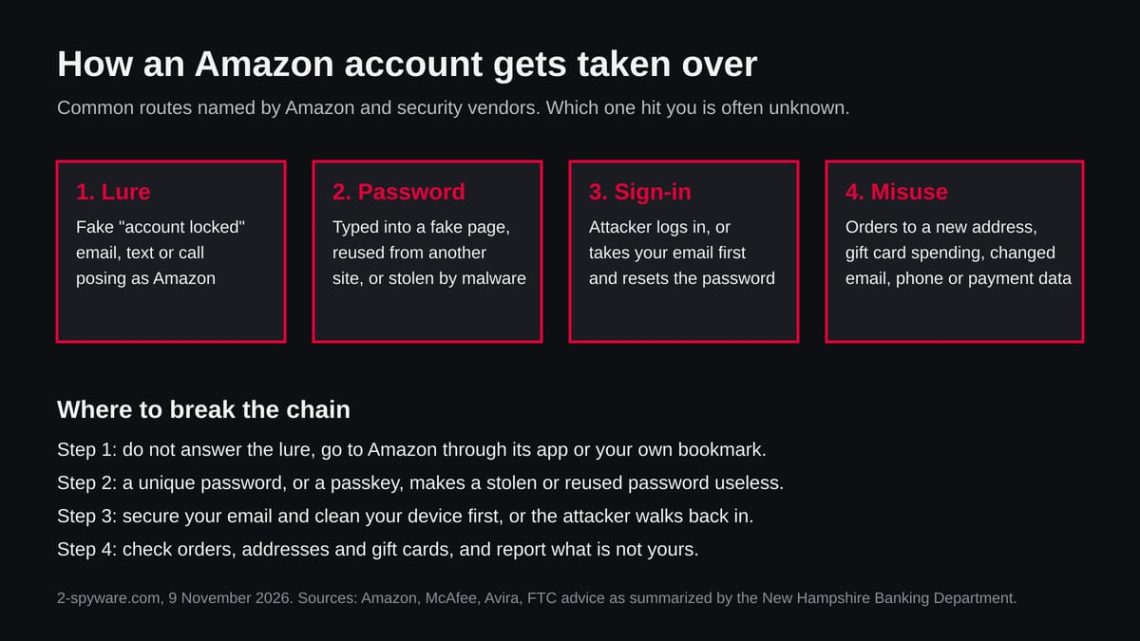
Check the account itself, not the message that worried you. Sign in through the Amazon app or by typing the address into your browser, and look for changes you did not make.
Start with Your Orders, including orders that are still being prepared, and check the delivery address on each. Then open the address book and the payment methods and look for entries you do not know. Check your gift card balance and its history.
Open Login and security and read the name, email address and phone number saved there. An attacker who wants to stay in changes these first, so a new email or phone number you do not recognise is the clearest sign of a takeover.
Then look in your inbox, and in the spam folder, for mails from Amazon about a password change, a new sign-in or an order you did not place.
Real mails are a useful clue but they are not proof either way, because an attacker with access to your email can delete them, and a scammer can send you a fake one. If you cannot sign in at all and the reset codes go to an address or phone you do not control, assume the account has been taken.
Two things look alarming and are weaker signs. A package you never ordered can be a gift or a so-called brushing scam, where a seller sends cheap goods to build fake reviews, which does not by itself mean your account was entered.
And a call, text or email that says Amazon has seen a hack proves nothing about your account: Amazon’s own scam advice says it will not call, text or email about orders you are not expecting.