
Last Updated on July 21, 2026 by Cliche
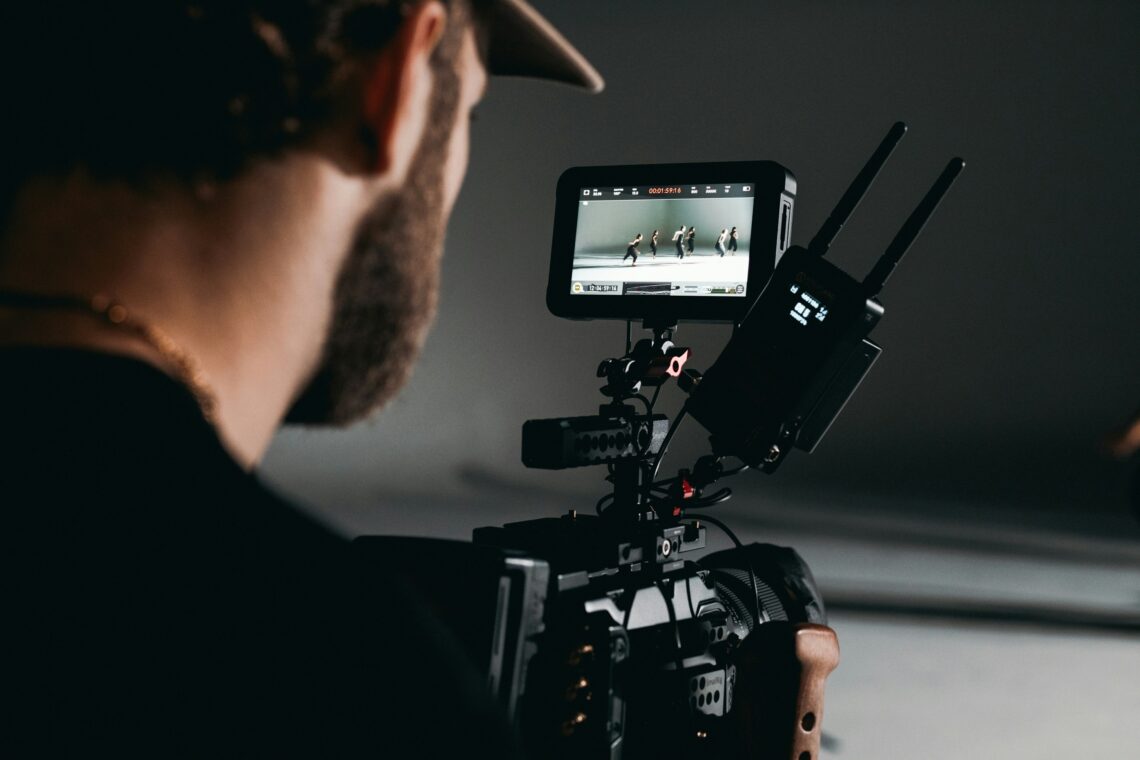
Quality cameras, various lenses and filters, spare batteries, high-capacity SD cards, support like tripods and suitable bags to protect and organise it all, there’s a lot on a photographer’s checklist when it comes to devices, tools and accessories. Having so much to think about and carry along, it’s easy to forget about external monitors, which have become an essential tool, especially with the downsizing of the camera designs as of late.
What Is the Purpose of an External Monitor?
Technical camera skills and a photographer’s eye are two ingredients that are crucial for photography success, especially in professional settings. However, having the tool that can provide you with more insight with the detailing, incredible focus, accurate colour representations and exposure comes in handy with creating photos that are both true to life and vibrant.
To make the most of reliable professional photography monitoring, you can use field monitors to enhance your shooting and desktop monitors to help out with the editing. Unlike a regular monitor, investing in a specialised alternative provides you with the resolution, calibration and colour accuracy needed for creative work made according to professional standards.
How to Choose the Right External Monitor?
With so many options of both on-camera field and desktop designs for professional photography monitoring, going through a shopping hassle is an understatement. The different brands, the designs, it all adds up to the confusion. To make the decision-making process easier and seamless, focus on the aspects that matter.
The Intended Use
What you’re going to use the external monitor for is one of the basic considerations that can help you narrow down the choices. Is it for outdoor and adventure field viewing? Is it for multi-camera shoots? Is it for photographing in a studio? Or maybe it’s for photo editing in a studio? These are all uses differing from each other as well as from live-streaming, for example. So, the answer to these questions is what you can rely on to decide on the suitable solution.
For outdoor photographing and filming, you need a rugged and compact design that comes with a high-brightness display for optimal daylight visibility and has features like optical bonding to prevent reflection from the sunlight. For multi-camera shoots, you need a photo monitor with properties that come in handy for this purpose, such as multi-input for switching live or displaying multiple angles.
For studio photography, getting the set exposure right is key in an on-camera monitor. For a desktop photo editing monitor, it’s all about the wide colour gamut and hardware calibration to be able to maintain the colour accuracy. Lastly, of course, for a live-streaming purpose, the needs differ from the photography ones; the on-camera monitor should provide the right framing and focus, whereas the desktop option is about the broadcast management.
Your Budget
When it’s time to think of the prices, you have various options available at the retailers. It depends on your budget, how much you’re willing to invest in this tool and what you expect to get out of it. If you don’t need the best of the best yet and are just starting to make the most of photography monitoring, then entry-level options should be enough.
Usually, they’re lightweight, slim, portable, 5-inch screens with features like bright display and HDMI input, fit for focus and exposure monitoring. Atomos Shinobi, particularly the GO and II models, are standout options you can swear by. Affordable, yet still made for professional monitoring – created to give you the best of both worlds.
Mid-range, if you’d like to get something more advanced feature-wise, but still without breaking the bank, then a 5-inch screen 4K HDR monitoring with a removable SSD for recording can do the job. If you aren’t doing simple shoots, but rather a high-end production, the solution is in a larger monitor, about 7 inches at least, or even larger, like 19-inch display monitors for multi-camera setups.
The Resolution
Again, much like the size, the resolution is a choice that depends on how much you’re willing to spend and what you want out of the screen. If it’s a low-end option where focus checking isn’t that important, affordable 720p HD-ready, small field monitors are the right choice. If, however, you need something more advanced with excellent sharpness and focus, then the 1080p full HD monitors are perfect. For professional photographers after some of the premium choices, the high-quality, UHD 4K is the ideal monitor for zooming, pixel checking and sharpness.
The Connectivity
While this is related to the network connectivity, and whether or not a specific model has Wi-Fi, Bluetooth or Ethernet capabilities for sharing, storing and streaming, it’s also related to the input and output options. It’s a necessary aspect to consider because it’s important for the equipment you already use and want to connect with the monitor. Getting a monitor design with the USB-C ports, HDMI and SDI outputs is mandatory if you’re looking for a solution that can cater to different camera and video equipment pieces, in both standard and professional settings.

Photo by Grace Brauteseth on Unsplash
The Build
Whether you’re shooting on the move, outdoors, or in a studio, you need to make sure you have a reliable monitoring tool that’s cut out for the job. Aside from the ease of use, and lightweight and portable design, it’s helpful to know you’re investing in quality. A model made with durable materials and a sturdy build is a good example.
This gives you the peace of mind that it can withstand regular use, or even exposure to the outdoor elements. For budget-friendly choices, plastic and polycarbonate build is the norm, but if you’re up for buying something sturdier for a high-end production, there are aluminium alloys that are also heat- and shock-resistant. Tempered glass treatment is another indicator of durability.
The Features
With the right features, the monitoring tool can be so much more than one used only for checking details and colour accuracy. Some more advanced models with removable SSD drives can easily become recording essentials too, giving you the chance to capture your footage without needing to add recording equipment in the mix. For a better and wider colour gamut and contrast, you should get HDR support. In short, it’s about balancing out your wants and needs with the right features.
Read more photography articles at ClichéMag.com
Images provided by Deposit Photos, BingAI, Adobe Stock, Unsplash, Pexels, Pixabay Freepik, & Creative Commons. Other images might be provided with permission by their respective copyright holders including AI generators.