
What to remove by hand
The pages we read name few exact traces for .tro, so this list is short.
We would rather say that than invent paths. Use our procedures for the clicks, and run an offline scan with Microsoft Defender first, because it finds the program itself.
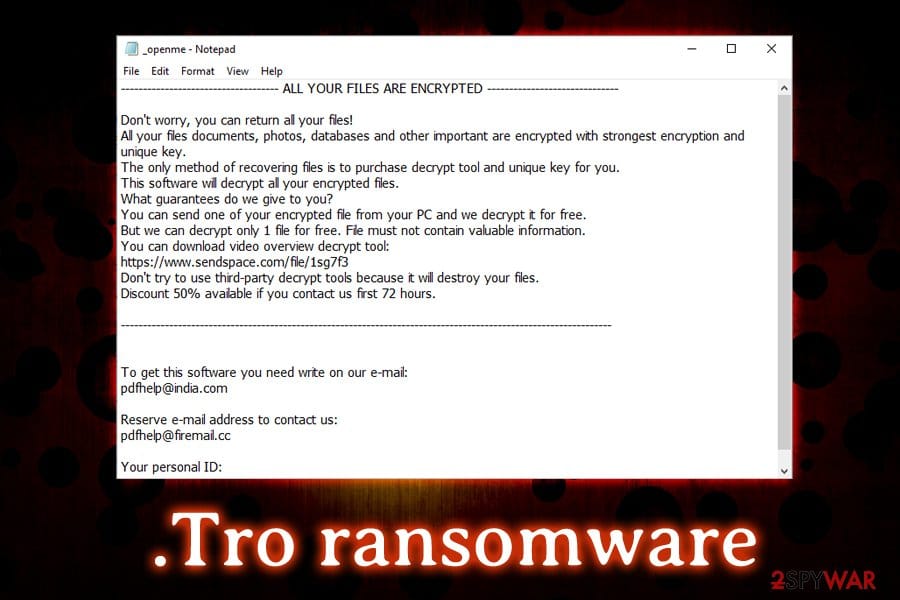
– _openme.txt in every folder with encrypted files. Keep one copy of the note on a separate drive before you delete the rest, since you need it to identify the variant.
– Files ending in .tro. Do not delete them. Copy them to an external disk, because a decryptor may exist now or later.
– Lines in the hosts file C:\Windows\System32\drivers\etc\hosts. Pcrisk reports that Djvu and the .tro variant add entries that point malware removal sites to the wrong place, so those sites will not load. Open the file in Notepad as administrator and remove lines you did not add.
– The fake update window is only a display, not a file. If it appears again after a restart, look in Task Manager, Settings > Apps > Startup and Task Scheduler for tasks and entries you do not recognise, sorted by date.
– No browser extension, search engine or policy is named for this variant in the sources we read. We found no registry key or folder name that we could confirm, so check Settings > Apps > Installed apps for anything installed on the day of the attack.